

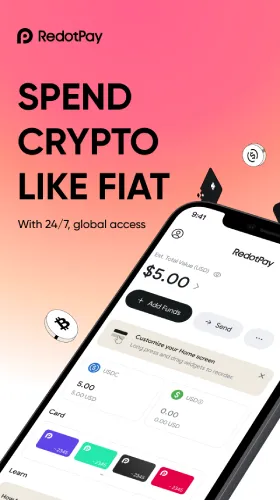


Customizable Homepage RedotPay
Customizable Homepage: RedotPay Makes Crypto Payments Easy
Why a Customizable Homepage Matters
- Fewer taps = faster checkout: Put high-frequency actions at the top.
- Focus on what you use: Hide what you don’t need; avoid screen clutter.
- Better money decisions: See balances, recent activity, and alerts at a glance.
- Consistency across trips and time zones: Your layout stays the same, so you don’t hunt for buttons on the go.
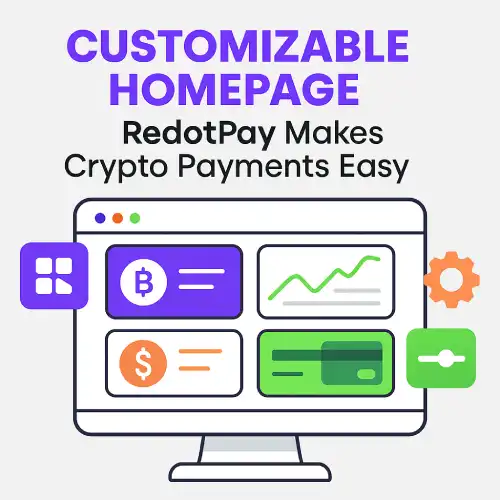
Key Features
- Quick Actions: Pay (QR/NFC), Add Funds, Swap, Send, Request, Withdraw, Card Freeze/Unfreeze.
- Balance Blocks: Show crypto + local currency side by side; pick your default spend currency.
- Smart Widgets: Recent transactions, rewards/Earn status, card limits, payout drafts, fee notices.
- Alerts & To-Dos: KYC reminders, spend alerts, refund updates, and step-up verification prompts.
- Shortcuts: One-tap to Virtual Card details, P2P Marketplace, or Global Payout runs.
Set It Up
- Long-press or tap “Customize” on the home screen.
- Choose your layout: grid or list; drag to reorder tiles.
- Pin your essentials: Pay, Add Funds, Swap, Send, Virtual/Physical Card controls.
- Add smart widgets: balances, recent activity, Earn, alerts.
- Save—your layout syncs to the cloud and follows you on all devices.
Pro tip: Put Pay and Card Freeze in the first row; keep Swap and Add Funds together to prep before checkout.
Everyday Use Cases
- Subscriptions & online shopping: Virtual card + alerts pinned up top for quick approvals.
- Travel days: Pay, Swap (to stablecoin/FX), and ATM finder/limits visible on one screen.
- Freelancers/teams: Global Payout drafts and Request Payment front and center on payday.
- Security-first users: Always-on Freeze Card, device alerts, and spending caps in the first row.
Best Practices
- Keep 3–5 tiles in the top row—speed beats clutter.
- Enable spend alerts and biometric unlock.
- Review limits monthly; set a small buffer to avoid declines.
- When abroad, pin a “Local vs Base Currency” reminder widget to dodge DCC mistakes.
- Use labels/tags in recent transactions for easier reports later.
FAQs
Is the homepage layout saved across devices?
Yes—your layout syncs to your account, so it persists when you switch phones.
Can I hide features I don’t use?
Yes—toggle off modules you rarely use (e.g., P2P or Credit) to reduce clutter.
Will customization affect fees or limits?
No—layout changes are purely UX. Fees and limits depend on your profile and region.
Can teams customize together?
Each user configures their own view. Admins can still enforce limits/approvals.