



RedotPay Anti-Abuse Measures
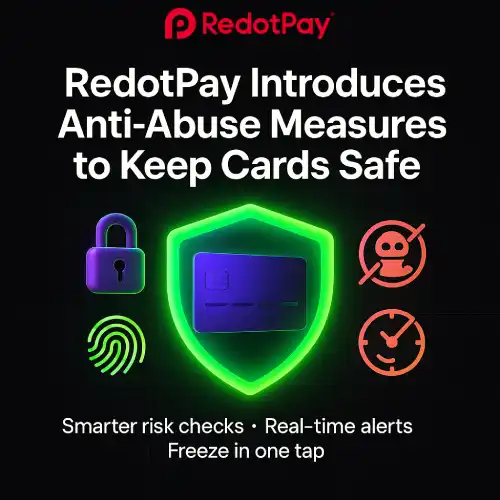
RedotPay Introduces Anti-Abuse Measures to Keep Cards Safe
Key Changes at a Glance
- Smarter risk screening: Device, IP, velocity, and merchant-category checks before authorisation.
- Step-up authentication: Extra verification (e.g., 3-D Secure/OTP/biometric) when risk is detected.
- Dynamic limits: Adaptive caps for new accounts, rapid spend bursts, or high-risk MCCs.
- Anomaly detection: Real-time models flag unusual behaviour (location jumps, repeated declines, test swipes).
- Granular card controls: Freeze/unfreeze, region/MCC preferences, spending alerts, and per-transaction rules.
- Stronger compliance posture: Stricter KYC/KYB reviews and sanctions screening for safer corridors.
What This Means for Cardholders
- Fewer fraudulent charges: Suspicious activity gets blocked earlier.
- Occasional step-ups: You may see an extra verification request—this is normal.
- Clearer notifications: Real-time alerts when something looks off, with a simple path to confirm it’s you.
- Better dispute outcomes: Stronger evidence trails (3-DS, device bind, geodata) help resolve chargebacks.
How the New Controls Work
- Pre-auth checks: The system evaluates device fingerprint, IP reputation, merchant category (MCC), and historical behaviour.
- Decisioning:
- Low risk: approve normally.
- Medium risk: step-up (3-DS/OTP/biometric).
- High risk: decline and notify.
- After the swipe: Real-time monitoring continues—rapid bursts or unusual routes can trigger temporary limits or review.
Will This Increase Declines?
Possibly in edge cases (e.g., first-time use with large spend, cross-border transactions, or risky MCCs). Most users won’t notice beyond occasional step-ups. If a payment is declined, use the checklist below.
Avoid False Declines: Quick Checklist
- Keep a balance buffer for FX swings and pre-authorisations.
- Enable 3-D Secure/OTP and make sure your phone/email is reachable.
- Turn on spend alerts and card controls (freeze/unfreeze, region/MCC preferences).
- If travelling, make a small test transaction first.
- Retry with contactless → chip → online wallet (where supported).
- Check the merchant category—some MCCs may be restricted or require step-up.
For Businesses & Power Users
- Use role-based access and approvals for larger spends.
- Label transactions with memos/tags to speed up reviews.
- If you see repeated step-ups, request a limit/profile review after consistent good history.
- Keep invoices/receipts—helps in disputes and limit increases.
FAQs
Do these measures change my fees?
No—security changes are about risk control, not pricing. Standard network/FX/ATM fees still apply.
Why did a familiar merchant need 3-D Secure this time?
Risk varies by context (IP/device/location/velocity). A one-time step-up is normal.
How do I whitelist a legitimate pattern?
Maintain consistent behaviour (same device/wallet, steady amounts). If friction persists, contact support for a profile review.
What if I suspect fraud?
Freeze the card in-app, review recent transactions, and contact support immediately to initiate a dispute.