

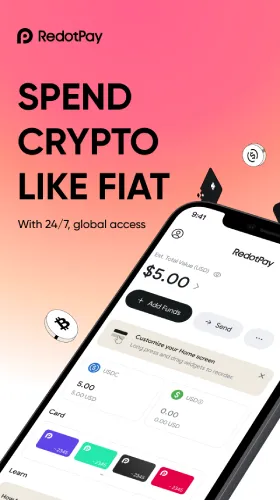



RedotPay Latest App Version
Smarter, Safer, and More User-Friendly: Discover RedotPay’s Latest App Version
What’s New
- Performance: 30–50% faster load on key screens, lighter memory usage, smoother scrolling.
- Security: Passkeys (FIDO2/WebAuthn) for password-less, phishing-resistant sign-in and approvals.
- Homepage Customization: Pin your go-to actions (Pay, Add Funds, Swap, Send, Card Freeze) and key widgets.
- Card Privacy Controls: Mask card details, set MCC/region rules, disposable virtual cards, instant alerts.
- Contacts: People-first address book with tags, notes, and one-tap Send/Request.
- Avatars & Nicknames: Personalize your profile; faster, safer recipient recognition.
- Network Options: Expanded low-fee rails for stablecoins to speed top-ups, P2P, and payouts.
- Polish: Clearer fee/FX previews, better refund status visibility, stronger error messages.

Why It Matters
- Faster every day: Less waiting between wallet, card, and payout flows.
- Safer accounts: Passkeys + alerts reduce phishing and SIM-swap exposure.
- Fewer mistakes: Contacts, avatars, and nicknames help you pick the right recipient.
- More control: Privacy rules, spend caps, and regional/MCC filters cut misuse.
- Lower costs: Improved support for low-fee networks helps frequent movers.
Feature Deep Dive
1) Passkeys for Security (Goodbye Passwords)
- Sign in and confirm sensitive actions with Face/Touch ID or device PIN.
- Phishing-resistant and faster than passwords + SMS.
Setup: Settings → Security → Passkeys → Create Passkey.
2) Customizable Homepage (Fewer Taps)
- Drag-and-drop tiles for Pay, Add Funds, Swap, Send, Freeze/Unfreeze.
- Add widgets: balances, recent activity, Earn, alerts, payout drafts.
Tip: Keep 3–5 tiles in the top row for speed.
3) Card Privacy Controls (Practical Safety)
- Mask card details by default; reveal on demand.
- MCC/Region rules, per-transaction/daily caps, disposable virtual cards.
- Real-time alerts for approvals/declines/refunds/profile changes.
Use cases: trials/subscriptions, travel, online-only shops.
4) Contacts, Avatars & Nicknames (People-First)
- Save recipients once; store multiple rails (wallet, bank/card where supported).
- Add tags (Clients, Vendors, Family), notes (invoice #, network), and reminders.
- Visual identity + handle = faster, safer P2P.
5) Network Enhancements (Lower Fees, Faster Settlement)
- Broader support for low-fee stablecoin networks to speed transfers and reduce costs.
- Better quotes and status visibility during withdrawals and swaps.
Everyday Playbooks
Online & Subscriptions
- Use a disposable virtual card, low monthly cap, alerts on renewals.
Travel & ATM
- Enable destination region; keep Freeze/Unfreeze tile on the homepage; choose local currency at POS.
Freelancers & Teams
- Tag contacts (e.g., Clients-Q4). Schedule payouts. Memo every transfer for clean exports.
Security-First Users
- Passkeys on, alerts on, strict MCC/region rules, and a small balance buffer for pre-auth/FX.
How to Update
- Open your app store and update RedotPay to the latest version.
- After launch, go to Settings → Security and enable Passkeys.
- Tap Customize Homepage to pin quick actions and widgets.
- Add your frequent Contacts, set tags/notes, and test a small transfer.
- Review Card Privacy rules and turn on alerts.
FAQs
Will passkeys replace 2FA?
Passkeys are strong auth; we still recommend keeping a fallback second factor.
Do privacy controls change my fees?
No—controls affect how/where your card works, not pricing.
Can I use multiple virtual cards?
Yes—create separate numbers for subscriptions, travel, and one-off purchases.
Do I need to switch networks?
Not required. But choosing low-fee networks can reduce costs on frequent transfers.
Will the update move my settings?
Your account, cards, and balances remain; review new controls and re-enable any optional features you want.