

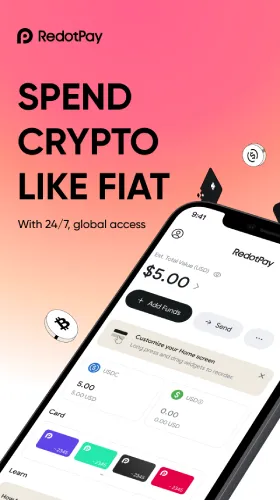



RedotPay Credit Account
Unlock Your Credit Power: RedotPay Launches the RedotPay Credit Account
Key Highlights
- Flexible credit line for online, in-store, and recurring payments
- Smart controls: per-transaction caps, region/MCC rules, instant freeze
- Clearer quotes: see FX and fees before you confirm
- Security first: passkeys, 3-D Secure (where supported), real-time alerts
- Works with virtual & physical cards (and mobile wallets where available)
Availability, limits, and product terms vary by region and profile—always confirm inside the app.

How the RedotPay Credit Account Works
- Eligibility & Limit Setting – After verification and review, you’ll receive a credit limit tailored to your profile.
- Spend Anywhere the network is accepted – Use virtual/physical cards or supported mobile wallets.
- Repay on schedule – Set up auto-debit or manual repayment; track billing periods, minimum due, and statement dates.
- Control in real time – Freeze/unfreeze, adjust limits, and set merchant/region rules on the fly.
Eligibility & Onboarding
- KYC/KYB required (ID checks; business docs for companies)
- Risk/affordability review (income, usage history, RedotPay Credit Account standing)
- Supported countries/markets shown during application flow
- Soft steps first (pre-check), followed by full review if you proceed
Pro tip: Keep your profile complete (accurate address, contact, and payment method) to speed approval.
Fees, FX & Limits
- Interest &/or fees – Displayed clearly during sign-up and on each statement
- FX – Live quote shown for non-base currency purchases
- Cash/ATM – May have additional fees and lower sub-limits (check in-app)
- Late/penalty fees – Avoid by enabling autopay and alerts
- Limits – Per-transaction, daily, and statement-cycle rules based on your tier
Controls & Safety
- Passkeys for password-less, phishing-resistant approvals
- 3-D Secure / step-up checks when risk is detected (where supported)
- MCC/Region filters to reduce misuse
- Masked card details and disposable virtual numbers for trials
- Real-time alerts for approvals, declines, refunds, profile changes
Credit vs Debit vs Prepaid
| Feature | RedotPay Credit Account | Debit/Bank | Prepaid Crypto |
|---|---|---|---|
| Funding | Borrow, repay later | Spend from bank balance | Load first, then spend |
| Cash-flow | Flexible (float between paychecks) | Immediate | Budget-capped |
| Rewards | Often available | Low–medium | Varies |
| Risk | Interest/late fees if misused | Low | Low |
| Best for | Larger, time-sensitive purchases; recurring bills | Everyday banking | Budgeting, online trials, travel balance |
Smart Ways to Use the RedotPay Credit Account
- Travel & large bookings: hold inventory now, settle later; set destination region rules
- Subscriptions & SaaS: assign a disposable virtual number per vendor
- Emergencies: keep a small buffer + alerts to avoid late fees
- Global online shopping: verify FX quote before confirm; avoid DCC at POS (choose local currency)
How to Apply
- Update app → Apply for RedotPay Credit Account
- Complete verification and provide requested documents
- Review offer: limit, APR/fees, billing cycle, grace period
- Accept & set autopay: pick repayment method and reminders
- Add card to wallet (where supported) and test a small purchase
FAQs
Will applying affect my credit score?
Application reviews may involve credit checks depending on region. The app will disclose this upfront.
Can I change my limit later?
Limits may be reviewed periodically based on usage and risk profile.
Do virtual cards support subscriptions?
Yes—create merchant-specific numbers with caps and expiry for better control.
Are cash advances/ATM allowed?
Where available, they may carry separate fees/sub-limits. Check the in-app fee schedule.
How do I avoid late fees?
Enable autopay, add calendar reminders, and keep alerts on for statements and minimum due.