


How to Apply for a RedotPay Crypto Card
How to Apply for a RedotPay Crypto Card?
What You’ll Need
- Valid government ID (passport or national ID)
- Selfie/biometric scan (done in-app)
- A working phone number & email
Step-by-Step: Apply in Minutes
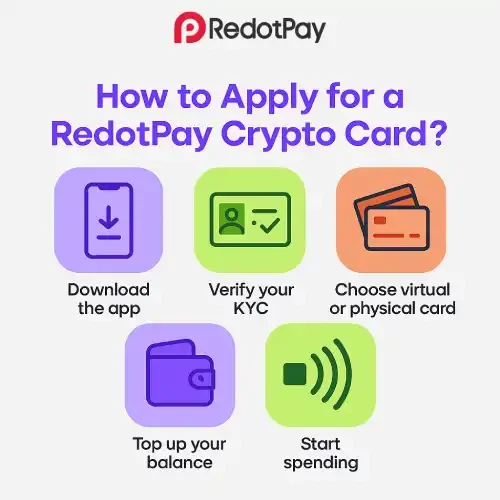
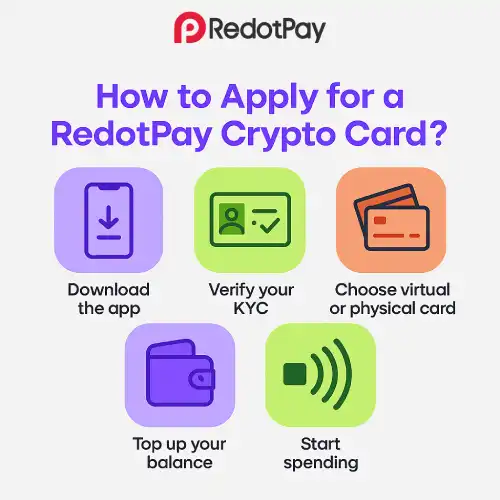
- Get the App & Create an Account
- Use your real name (must match your ID).
- Complete KYC
- Scan your ID + selfie; upload proof of address if requested.
- Keep lighting good; ensure edges of the document are visible.
- Choose Your Card Type
- Virtual Card (fastest start for online & subscriptions).
- Physical Card (in-store + ATM access; shipping required).
- Agree to Terms & Fees
- Review application fees and transaction policies.
- Fund Your Balance
- Add funds via supported methods (on-chain, exchange top-ups, bank rails where available).
- Activate & Secure
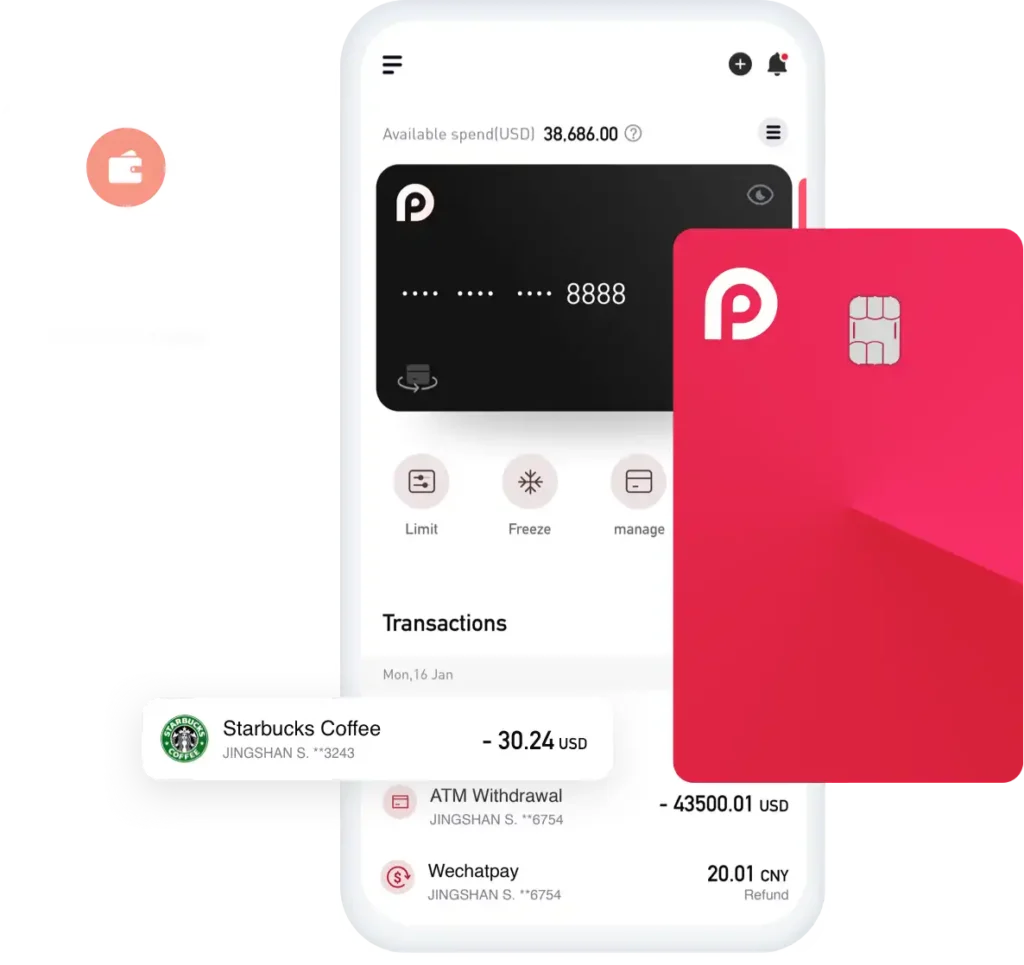
- Set card controls, enable passkeys/2FA, and turn on spend alerts.
- Start Spending
- Add virtual card to Apple/Google Pay (if supported) or use card details online.
- For physical card: set PIN (if prompted) and test a small purchase.
Virtual vs Physical Card
| Feature | Virtual Card | Physical Card |
|---|---|---|
| Best for | Online shopping, subscriptions, travel bookings | In-store POS, ATM cash access |
| Time to start | Minutes after verification | Shipping required (varies by region) |
| Mobile wallets | Apple/Google Pay (where supported) | Apple/Google Pay (where supported) |
| Typical costs to watch | FX on non-base currency, top-ups | FX, top-ups, ATM fees & limits |
| Controls | Freeze/limits/alerts in-app | Freeze/limits/alerts in-app |
Tip: Many users start with Virtual for instant access, then add Physical as a travel/ATM backup.
Fees & Limits
- Application fees: Virtual vs Physical differ (check your in-app pricing).
- FX/settlement fees: Apply to non-base currency transactions.
- ATM fees: Per-withdrawal + possible operator fees (physical card only).
- Limits: Per-transaction, daily, and ATM limits depend on BIN/tier.
Pro move: Make fewer, larger ATM withdrawals to minimize fixed fees.
Approval Timeline — What to Expect
- KYC review: Often minutes to a few hours (varies).
- Virtual Card: Usually available shortly after KYC approval.
- Physical Card: Production + shipping depends on destination and courier.
Avoid Delays & Declines
- Name on account matches ID exactly
- Crisp, glare-free ID photo; no fingers covering edges
- Proof of address dated within the last 90 days (if requested)
- Use a stable network during upload; allow camera permissions
- Keep a balance buffer for FX swings & pre-authorizations
- If a payment fails at POS, try contactless → insert → mobile wallet
After Approval: Do These 7 Things
- Enable Passkeys (password-less, phishing-resistant) and keep 2FA as fallback
- Turn on Spend Alerts (instant push/email)
- Set Limits & Regions (card controls)
- Add to Apple/Google Pay (if supported)
- Label Transactions (memos/tags for reports)
- Create a Travel Profile (keep a small cash/ATM backup if needed)
- Save Emergency Actions (Freeze/Unfreeze shortcuts)
Common Questions (FAQs)
Do I need crypto to apply?
No. You can fund through supported alternatives where available; crypto is just one option.
Can I hold multiple currencies?
Yes, with a multi-currency wallet setup (availability varies by region).
Is the card available everywhere?
Coverage varies by country and product tier. The app will show availability during onboarding.
How do refunds work?
Refund timing depends on the merchant and network. Keep receipts and monitor your statement.
Can businesses apply?
Yes—KYB is available. Business limits and controls differ from personal accounts.