



RedotPay Multi-Currency Wallet 101
RedotPay 101: Get to Know Your Multi-Currency Wallet
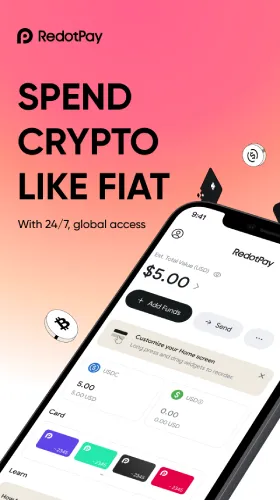
RedotPay’s Multi-Currency Wallet is your day-to-day hub for money: keep balances in multiple currencies (including stablecoins where supported), swap with a live quote, reload your card instantly, and send payouts to bank rails in supported corridors. Use smart controls, passkeys, and alerts to stay safe and lower total costs.

What the Multi-Currency Wallet Does
- Hold multiple currencies side-by-side for everyday spend and travel.
- Swap/FX with live quotes—see rate, spread, and any fee before you confirm.
- Reload virtual/physical cards in seconds for online, POS, and ATM (fees/limits apply).
- Send & receive via P2P and Global Payout (where supported) with clear ETA and fees.
- Organize & reconcile using contact lists, memos/tags, and downloadable statements.
Availability, currencies, networks, and corridors vary by region/tier. Always confirm inside the app.
Why It Matters
- Lower FX churn: Keep value in your base currency or stablecoins; convert at the edge only when you’re about to spend or pay out.
- Speed: Card top-ups and internal moves complete in seconds.
- Clarity: Pre-trade quotes and activity logs reduce surprises and simplify audits.
- Control & Safety: Passkeys, spend alerts, MCC/region rules, and one-tap freeze.
Quick Start
- Verify your account (KYC/KYB) to unlock limits and features.
- Fund the Multi-Currency Wallet(often via stablecoins on a low-fee network or other supported rails).
- Swap (optional) to your target spend currency using the live quote screen.
- Reload your card for online/POS/ATM spend.
- Send payouts to contacts or local bank accounts via Global Payout (where supported).
- Track & export statements; tag transactions for clean reconciliation.
Everyday Playbooks
1) Subscriptions & Online Shopping
- Keep a small operating balance in your wallet; use virtual cards with monthly caps.
- Turn on spend alerts to catch renewals early.
2) Travel
- Convert at the edge just before you travel; reload your card in destination currency.
- At POS, always choose local currency (avoid DCC markups).
- Move leftovers back to base currency after the trip.
3) Freelancers, Agencies & Teams
- Hold 1–2 payroll cycles in the Multi-Currency Wallet; allocate surplus to Earn if available.
- Use memos/tags (client/project/invoice) and export CSV monthly.
4) Remittances & Vendor Payments
- Start with stablecoins → Global Payout to local bank rails in supported corridors.
- Verify recipient details once, then whitelist for repeat payments.
Fees, Limits & Timing
- FX/Swap: Rate + spread/fee shown on the quote screen before you confirm.
- Network fees: Minimize by funding on low-fee chains for the transport leg.
- Card & ATM: Standard card/ATM fees and sub-limits apply—check in-app.
- P2P & Payouts: Corridor-specific fees and ETA are displayed pre-confirmation.
- Limits: Per-transaction/daily/monthly limits depend on your tier and risk profile.
Safety & Controls to Enable on Day One
- Passkeys (FIDO2/WebAuthn): Password-less, phishing-resistant approvals; keep 2FA as fallback.
- Card privacy controls: Mask card details; set MCC/region rules and per-transaction/daily caps.
- Alerts: Approvals, declines, refunds, payout status, profile changes.
- Virtual cards: Disposable numbers for trials or unfamiliar merchants.
- Whitelists: Save trusted recipients; test small before larger transfers.
Pro Tips
- Keep a buffer: 7–14 days of expected spend in the Multi-Currency Wallet to avoid forced swaps/redemptions.
- Batch payouts: Fewer, larger runs reduce fixed costs and admin time.
- Edge-conversion: Move on cheap networks; convert only when you pay or reload.
- Memo/tag everything: E.g., “INV-2047 / Q4-Design” for perfect matching later.
- Review monthly: Rebalance currencies around travel, invoices, or seasonal spend.
Quick Comparison
| Feature | Multi-Currency Wallet | Single-Currency Account |
|---|---|---|
| Currencies held | Multiple (incl. stablecoins where supported) | One |
| FX control | Live quote + edge conversion | Often automatic/opaque |
| Card readiness | Instant reloads | Varies |
| Global payouts | Supported corridors with fees/ETA preview | Limited/none |
FAQs
Which currencies are supported?
Your in-app wallet shows the current list per region/tier.
Does the wallet replace my card balance?
No—it feeds your card. Reload when you’re ready to spend.
Is there a minimum balance?
Minimums vary by account type and region. The app displays any thresholds before you confirm actions.
Do I pay FX every time?
Only when you swap. To cut costs, convert at the edge right before spending or payout.
Can businesses use it?
Yes—KYB accounts can hold multi-currency balances, batch payouts, and export statements.