




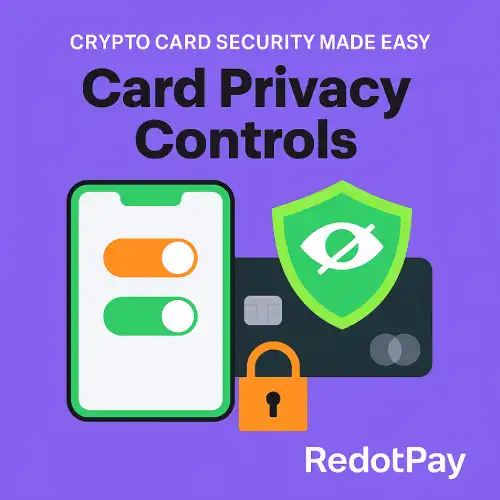
Crypto Card Privacy Controls
Crypto Card Security Made Easy: RedotPay’s New Card Privacy Controls
What’s New
- Mask Card Details: Hide full card number/CVV by default; reveal only when needed.
- One-Tap Freeze/Unfreeze: Lock your card instantly if something looks off.
- Merchant & Region Controls: Restrict by merchant category (MCC) or set geofencing rules to reduce misuse.
- Per-Use Spend Limits: Daily, per-transaction, and online-only caps to contain risk.
- Disposable Virtual Cards: Create single-use or short-lived numbers for trials and one-off purchases.
- Real-Time Alerts: Push/email notifications for approvals, declines, refunds, and profile changes.
- Stronger Approvals: Pair with passkeys / 3-D Secure for phishing-resistant confirmations.
Why Privacy Controls Matter
- Stops skimming & merchant leaks: Masked details and per-use limits minimize exposure.
- Prevents silent subscriptions: Disposable or merchant-locked virtual cards stop surprise renewals.
- Cuts false declines: Clear rules (MCC/region) tell the system what “normal” looks like for you.
- Speeds dispute resolution: Alerts + logs create a tight evidence trail.
How to Use the New Controls
- Open App → Card → Privacy & Controls
- Toggle “Mask Card Details” (default on); tap to reveal when you need the number/CVV.
- Set Limits:
- Per-transaction cap
- Daily/weekly ceiling
- Online-only or card-present rules
- Choose Where It Works:
- MCC filters (e.g., allow travel, block gambling)
- Regions (enable/disable countries/areas)
- Create a Disposable Virtual Card for free trials or untrusted merchants; set an expiry.
- Enable Alerts: approvals, declines, chargebacks, card-profile changes.
- Security Boost: turn on Passkeys and keep 2FA as a fallback.
Practical Playbooks
For Everyday Shopping
- Keep mask on, enable alerts, set a daily cap, and allow common MCCs only.
- When paying at new merchants, use virtual cards with short expiry.
For Travel
- Temporarily allow your destination region; keep ATM/foreign MCCs on, others minimal.
- Raise the per-transaction cap only for the trip, then revert.
For Subscriptions/Trials
- Use disposable virtual cards with a low monthly limit.
- If you cancel, delete or freeze that virtual card to stop future charges.
Best-Practice Tips
- Maintain a balance buffer for pre-authorizations and FX swings.
- Keep passkeys on for password-less, phishing-resistant approvals.
- Review alerts & logs weekly to spot unusual activity.
- Store card details only in trusted devices/browsers; avoid screenshots of CVV.
FAQs
Do privacy controls affect fees?
No—controls change how/where your card can be used, not pricing. Standard FX/ATM fees still apply.
What’s the difference between freeze and mask?
Freeze blocks all new transactions; mask only hides the visible card details.
Can I run multiple virtual cards at once?
Yes—assign different limits and MCC rules per card (e.g., “Travel,” “Subscriptions,” “Online-only”).
Will strict MCC/region rules cause declines?
If a merchant falls outside your rules, the payment is declined by design. Loosen rules temporarily when needed.
Do I still need 2FA/Passkeys?
Yes—privacy controls reduce exposure; passkeys/2FA protect account access and approvals.