



RedotPay Custom Avatars and Nicknames
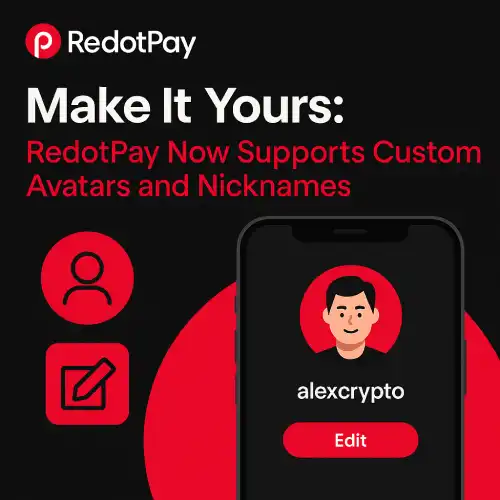
Make It Yours: RedotPay Now Supports Custom Avatars and Nicknames
What’s New
- Custom Avatars: Upload a photo, logo, or brand mark for quick visual confirmation.
- Nicknames & Handles: Pick a friendly name (e.g., @alice-travel).
- Contact Cards: Your avatar + nickname appear in Contacts, P2P, and payment requests.
- Privacy Controls: Choose who can discover you by handle/QR and who sees your avatar.
- Cross-Device Sync: Your profile settings follow you on every signed-in device.
Why It Matters
- Fewer mis-sends: Visual identity + unique handle helps avoid wrong recipients.
- Faster checkout: Contacts are easier to scan in lists and group payouts.
- Professional look: Great for freelancers and vendors; add a logo + business nickname.
- Cleaner records: Consistent names in exports and receipts reduce reconciliation headaches.
How to Set It Up
- Open RedotPay → Profile → Edit Profile
- Upload Avatar: Use a square image (recommend 512×512).
- Choose Nickname/Handle: Keep it unique, short, and easy to spell (e.g., @brand-asia).
- Visibility & Discovery: Decide whether others can find you via handle/QR; toggle contact requests.
- Save & Sync: Your avatar and nickname will appear across P2P, Contacts, and Requests.
Pro tip: Use the same nickname across platforms so teammates and clients recognize you instantly.
Best Practices
- Keep it recognizable: Clear headshot or brand logo; avoid busy backgrounds.
- Secure your handle: Claim it early to prevent impostors.
- Pair with Passkeys: Approve sensitive actions with biometrics for phishing resistance.
- Use Tags in Contacts: Combine avatar/nickname with tags (e.g., Vendors, Clients, Family).
- Add Notes: Store invoice terms or wallet network in the contact memo for fewer mistakes.
Privacy & Controls
- Discovery: You can allow searches by handle or stay private; QR works even if search is off.
- Block/Whitelist: Block unknown requesters and whitelist known contacts for one-tap approvals.
- Data: Changing your avatar/nickname doesn’t expose balances or transaction history—those follow your normal privacy settings.
Real-World Use Cases
- Freelancers/Agencies: Brand your profile; clients pay the right company every time.
- Family & Friends: Spot the correct “Alex” or “Mei” in group splits and recurring transfers.
- Vendors & Suppliers: Consistent profile in recurring payouts, invoices, and refunds.
- Community Treasuries/DAOs: Team handles (e.g., @dao-treasury) for transparent flows.
FAQs
Can I change my nickname later?
Yes, if the new handle isn’t taken. Your old handle may become available to others after a cooldown.
Are there restrictions on avatars?
Yes—no offensive imagery or impersonation. Use your own photo/logo or properly licensed art.
Will this affect my fees or limits?
No—avatars and nicknames are purely UX features. Fees/limits depend on your profile and region.
Can people find me by nickname?
Only if you enable discovery. You can also share a QR or direct link without enabling search.
Does this replace verification (KYC/KYB)?
No. Avatars and nicknames sit on top of your verified account to improve recognition, not replace compliance.