

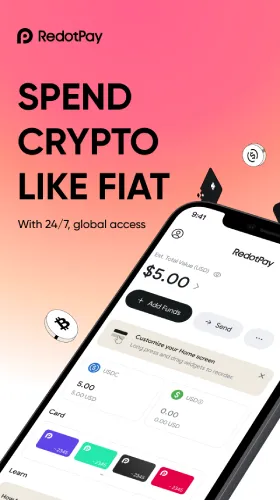







Pay Anywhere..
Any QR Code.
Instantly
Scan any supported QR code at checkout and pay directly from your crypto balance — coffee, taxis, groceries, and everywhere in between.
Why Scan to Pay
- Works with local QR networks — Pay at any merchant using the same QR systems already accepted by local banks and e-wallets.
- Instant checkout — Scan and pay in seconds, straight from your stablecoin balance.
- No pre-conversion needed — Skip manually swapping crypto to cash before you shop.
- Transparent rates — See the exchange rate and any fees before you confirm — no surprises at checkout.
Happy
Users
Supported Networks & Coverage
RedotPay's Scan to Pay works with local QR payment networks — the same systems already used by banks and e-wallets in supported regions. Coverage and supported networks vary by country; check the app for what's available where you are.
Fees & Pricing
- Live exchange rate shown upfront — You always see the rate before you confirm a payment.
- No surprise charges — Any applicable fee is disclosed at checkout, not added afterward.
- Network fees may apply — Depending on the QR network and merchant, standard processing fees may apply.
Pro tip:
Check the confirmation screen before every scan — the rate and total are always shown before you commit to the payment.
Who Uses It
Everyday Spenders
Coffee runs, groceries, taxis — pay directly from crypto without a separate conversion step.
Travelers
Pay like a local using QR codes already accepted at merchants abroad, without hunting for a currency exchange counter.
Freelancers & Remote Workers
Spend crypto earnings immediately at everyday merchants, without routing through a bank first.
FAQs
What's a national QR standard?
It’s a unified QR payment system — usually backed by a country’s central bank or major financial institutions — that lets one QR code work across many banks, e-wallets, and payment apps in that country, instead of each provider needing its own.
How do I scan to pay?
Open the RedotPay app, tap Scan to Pay, point your camera at the merchant’s QR code, confirm the amount and rate shown, and complete the payment — all within the app.
What is the difference between static and dynamic QR codes?
A static QR code stays the same every time (often just identifying the merchant, so you enter the amount yourself). A dynamic QR code is generated fresh for each transaction and usually has the amount already built in.
Are there fees for using Scan to Pay?
Standard network or processing fees may apply depending on the QR network and merchant. Any fee is shown before you confirm the payment.
Which crypto or stablecoins can I use to scan and pay?
Payments draw from your RedotPay wallet balance — check the app for the full list of currently supported assets.
Is Scan to Pay available everywhere?
Availability depends on whether a merchant or region supports a compatible QR network. Check the app for current coverage in your area.
Do I need a physical RedotPay card to use Scan to Pay?
No — Scan to Pay works directly from your RedotPay wallet through the app, independent of the physical or virtual card.
Compliance
&
Reliability
Independent editorial summary based on RedotPay's official Scan to Pay page. Fees, supported networks, and regional availability may change — always confirm current details in-app. Last updated 3 Sept 2026.

