



How to Log In to RedotPay — App Guide & FAQ (2026)
RedotPay is a crypto payment platform that lets cardholders spend stablecoins such as USDT through a Visa card. This guide walks existing users through signing in, recovering access, and resolving the login problems that come up most often.
How to Log In on the RedotPay App (Mobile)
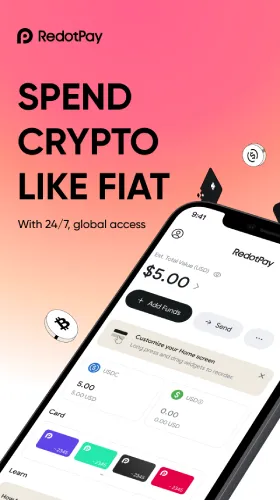
RedotPay runs primarily through its mobile app for iOS and Android, so the app is where most account holders sign in. After installing the app from an official store, users open it and tap Log In on the welcome screen.
From there, the user enters the email address or phone number tied to the account, then completes verification. Depending on the account setup, RedotPay may request a password, a one-time code sent by email or SMS, or biometric confirmation.
Once verified, the dashboard opens to the wallet and card overview. Users who want a refresher on managing balances can review the RedotPay multi-currency wallet guide.
Is There a RedotPay Web Login?
RedotPay does not offer a web-based login portal. Account access is managed entirely through the RedotPay mobile app, available on iOS and Android. There is no browser-based dashboard for cardholders.
Users searching for a “RedotPay web login” or “RedotPay online login” should note that any third-party sites claiming to offer web access to RedotPay accounts are not affiliated with RedotPay. Always download the app directly from the official App Store or Google Play listing.
Forgot Your Password? Here’s What to Do
When a password is lost, the account holder taps Log In, then selects the Forgot Password option on the sign-in screen. RedotPay then sends a verification step to the registered email or phone number.
After verifying identity, the user can set a new password and sign in again. Choosing a strong, unique password — and enabling any available two-factor or biometric option — reduces the chance of being locked out later.
Common Login Issues and Fixes
Most failed logins trace back to a handful of causes. Incorrect credentials, an outdated app version, or a weak network connection are the usual culprits, and each has a quick fix.
- Wrong email or phone: confirm the exact contact used at signup.
- Code not arriving: check spam, wait a moment, then request a new code.
- App errors: update to the latest version and restart the app.
- Account locked: repeated failed attempts can trigger a temporary lock, which usually clears after a wait or after contacting official support.
If problems persist, RedotPay’s in-app support is the correct channel, since it can verify the account securely.
Frequently Asked Questions
Is there a RedotPay web login? No — RedotPay does not have a web login portal. All account access, card management, and USDT loading is done through the RedotPay mobile app on iOS or Android.
What do I do if my account is locked? A lock is often temporary after several failed attempts. Waiting before trying again, or reaching out through in-app support to confirm identity, is the safest route back in.
Can I use Face ID or fingerprint to log in? RedotPay supports biometric sign-in on devices that allow it, which lets users skip typing a password each time. The option is enabled in the app’s security settings.
Get Started With RedotPay
Anyone ready to set up an account, access the card, or check the latest features can do so through the official platform. Visit RedotPay to sign in or learn more about how the card and wallet work.